Daily Papers - Week 3
Day 7: The App Gets a Notebook
Day 1 of the third week arrived with a feature that quietly changes the nature of the whole product. Daily Papers started as a prompt generatorbut today it became a place to actually journal. I thought about adding or not this feature because I write my journal with pen and paper. Having this option tho would help me when I am travelling and I do not want to take with me my journal.
What I worked on:
In-app journal writing: Users can now write their journal entry directly in the app, right alongside the daily prompt.
Journal entries in the calendar: Whatever is written for a given day appears in the calendar view directly below the prompt for that day. The calendar went from a record of questions to a full archive of prompts and reflections.
Prompt filtering: The prompts section now lets users filter between their own custom prompts and the system prompts that come pre-loaded with the app. A small but necessary distinction as the personal prompt library grows.
Bulk activate / deactivate: A single button to activate or deactivate all prompts at once. Otherwise users would have to singularly activate/deactivate every prompt, which was not optimal in terms of UX.
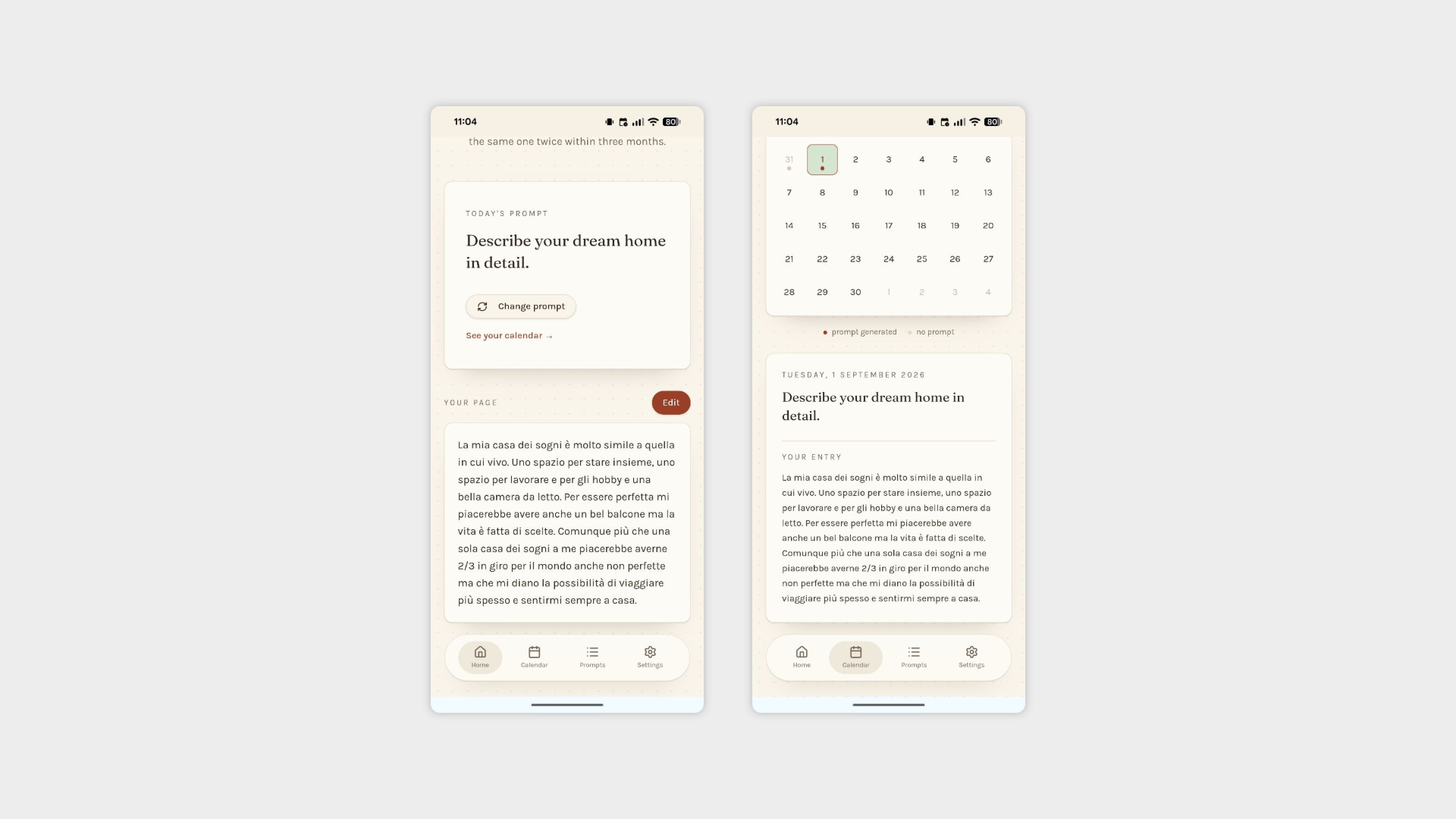
Entered journal text in the homepage and in the calendar view
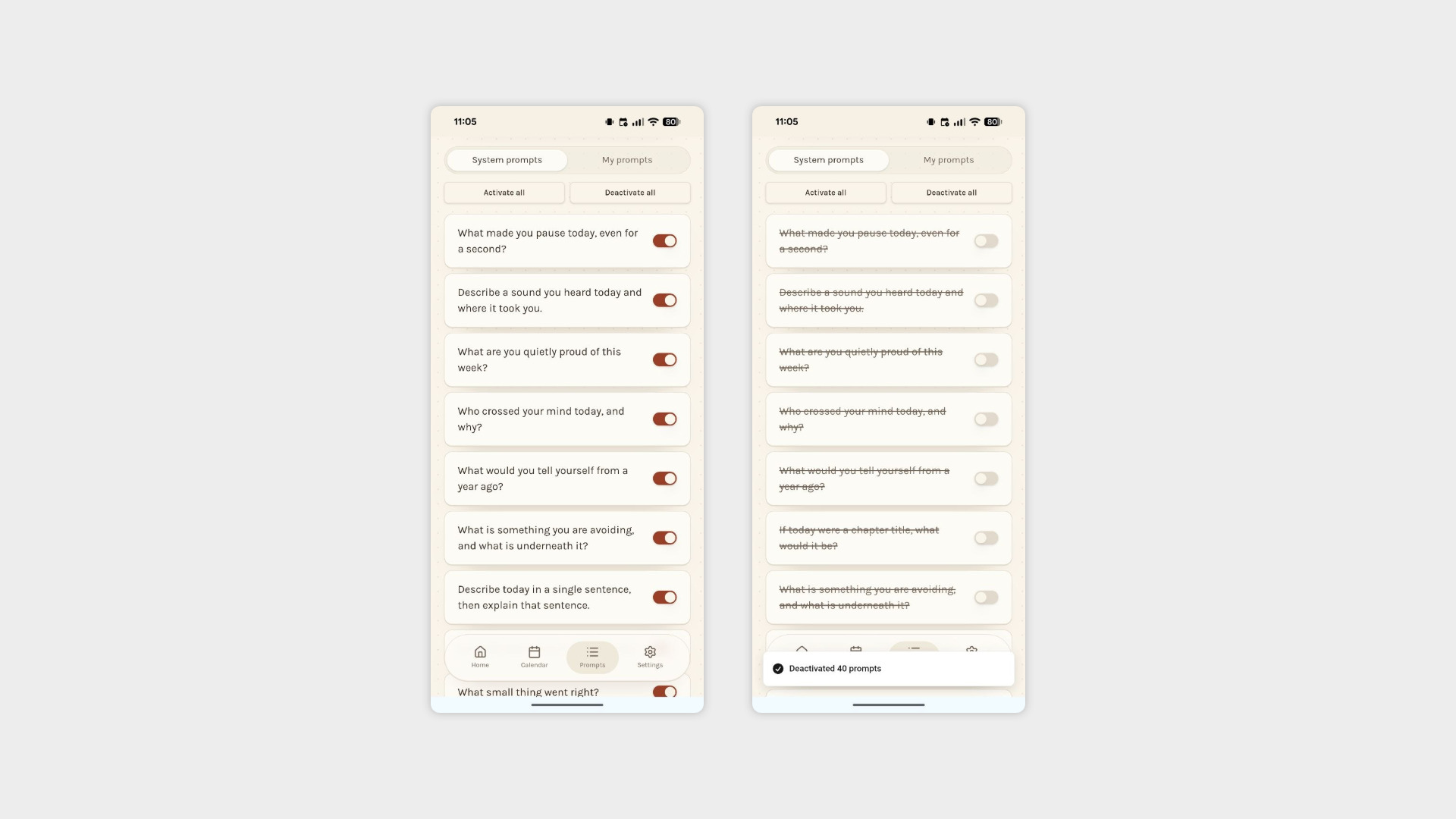
Prompts section with segmented control for system/my prompts and buttons to activate/deactivate all prompts at once
Day 8: For the Paper People
A small but thoughtful addition today, one that acknowledges something important: I wanted to show an indication for when I write my journal on my actual paper journal and not online.
What I worked on:
Paper journal toggle: Users can now log that they wrote their journal entry on paper rather than in the app. Just a simple acknowledgement that today I wrote my journal.
Reflected in the calendar: Paper journal days are marked in the calendar view alongside digital entries and prompt-only days, giving a complete and honest picture of the journaling habit regardless of where the writing actually happened.
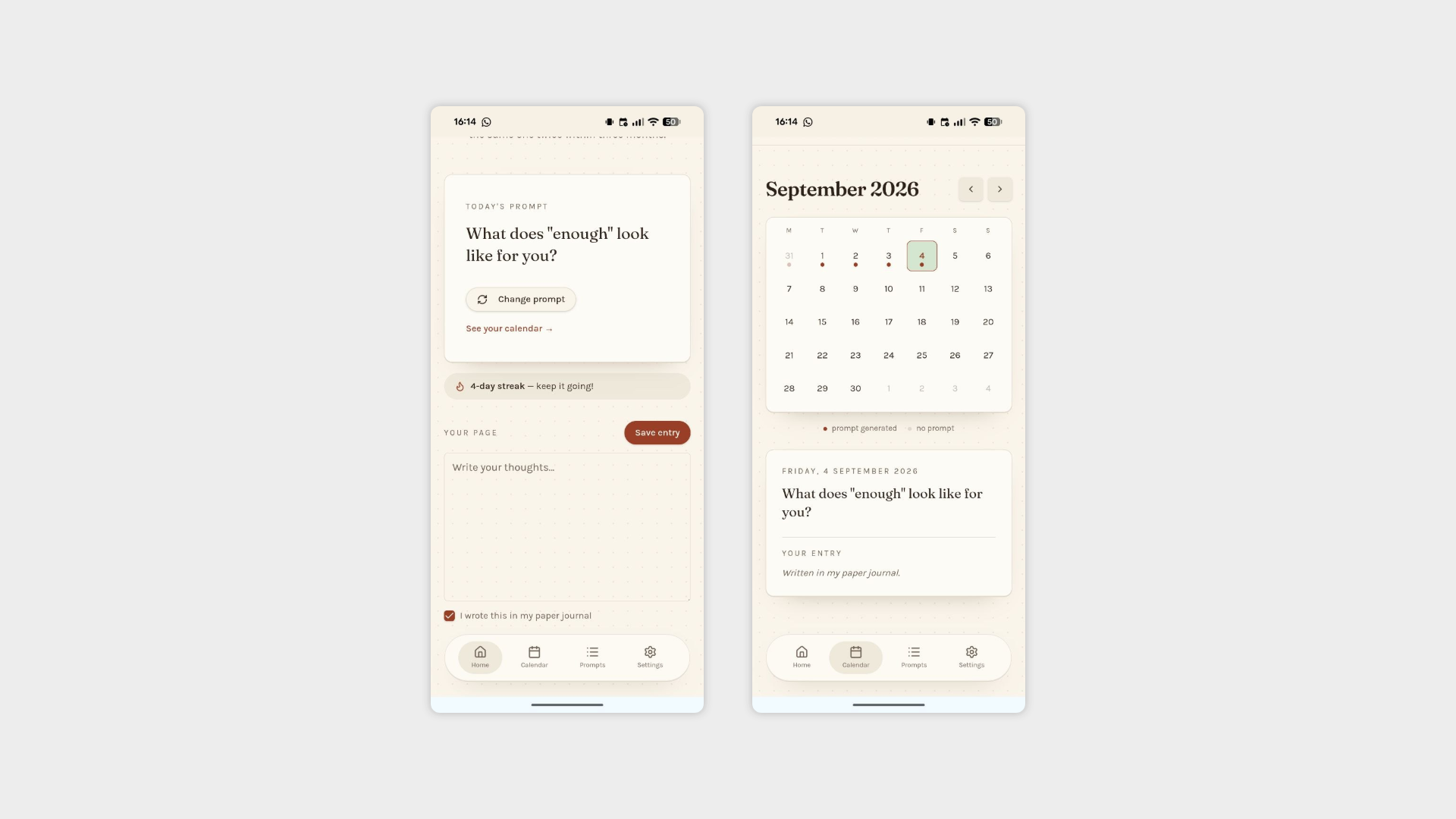
Checkbox for paper journal and entry in the calendar
Day 9: The Streak
The final day of the project brought something that turns a useful tool into a habit-forming one. I added the most classical of day streak gamification.
What I worked on:
Day streak: A running count of consecutive days with a journal entry, displayed prominently to give users a reason to keep showing up.
Longest streak record: The app now tracks and displays the user's longest streak ever recorded. If the current streak is also the longest, a motivational message appears to acknowledge it and push the user to keep going.
Rest days: Since I usually do not write my journal on weekends but I wanted to keep my streak safe in the settings, users can define specific days of the week as rest days. These days do not count for the streak.
One-day recovery window: Miss a day? Not ideal, but recoverable. Adding an entry the day after a missed day restores the streak, giving users a single grace period before the consequences kick in. Miss two days in a row, however, and the streak resets from zero. Firm enough to mean something, forgiving enough to stay motivating.
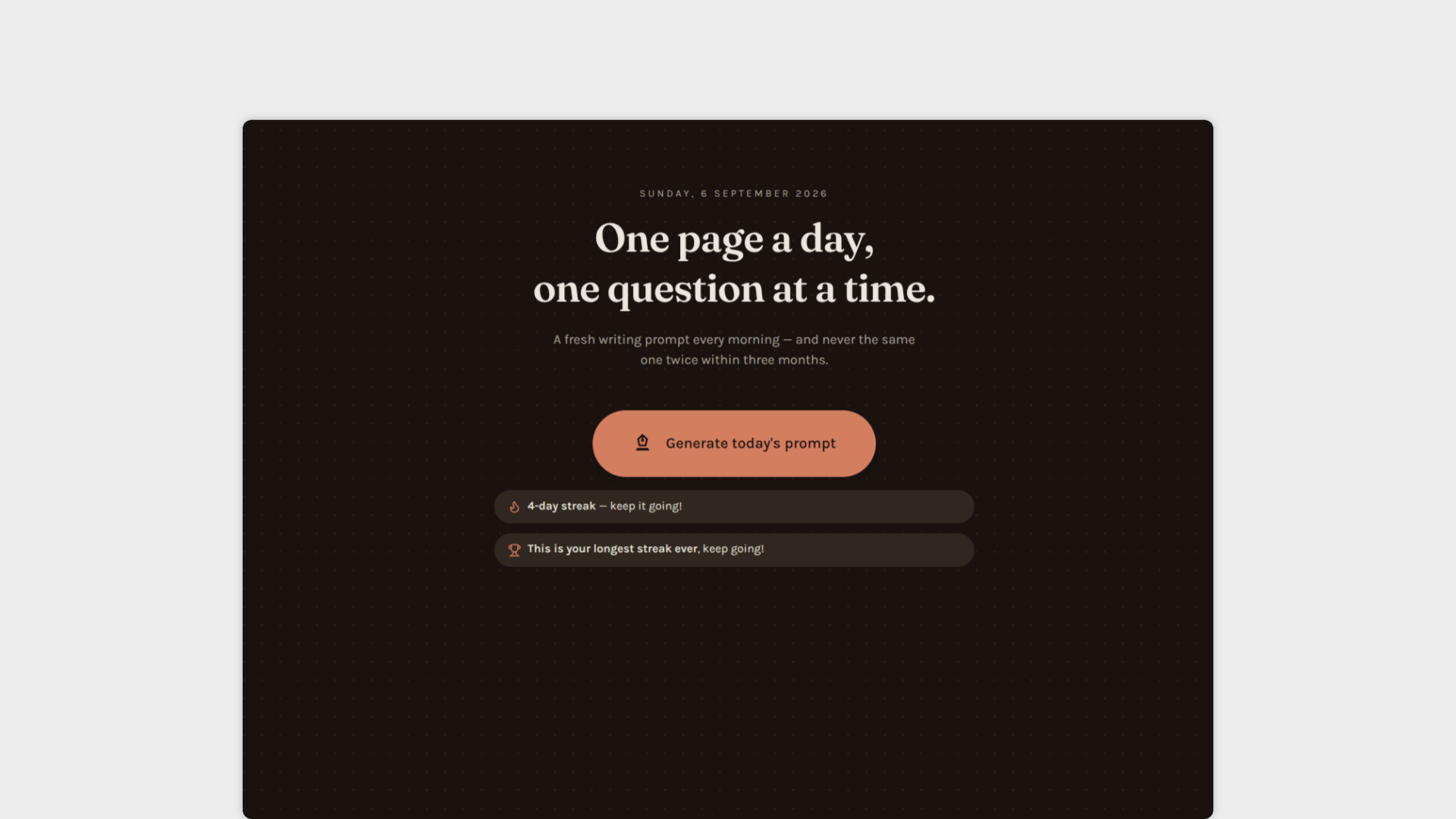
Homepage with day streak
